Acreo
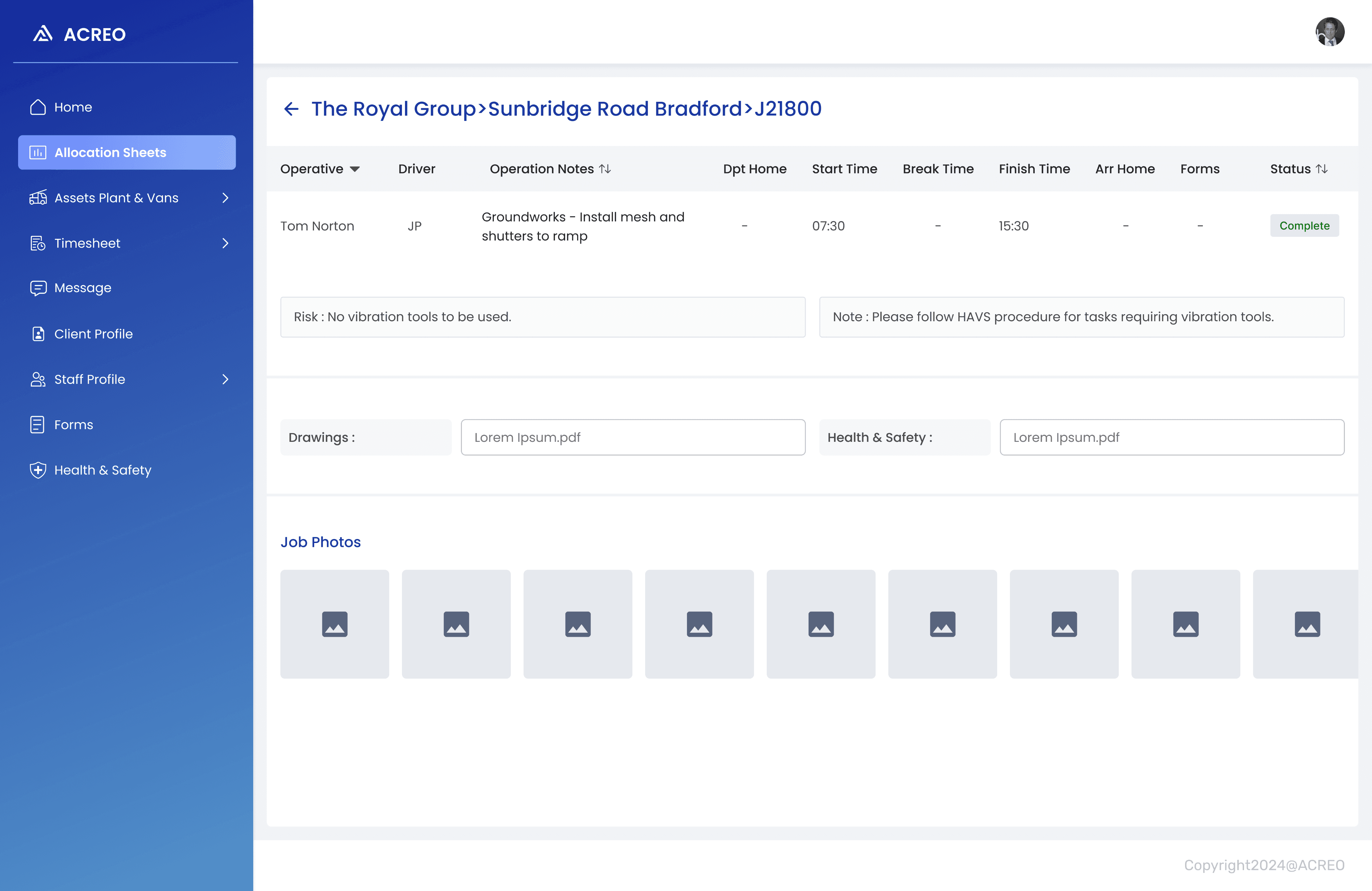
A mobile app for Acreo staff/contractors to digitally complete relevant on-site forms and fill in timesheets and Web App for manager to allocate tasks, forms and process timesheet for payroll.
Role
Product (UX/UI) Designer
Client
Acreo limited
Platform
Mobile & Web
Toolkit
Figma, Monday.com.
Background
Client spends a lot of time in creating Allocation sheets, managing forms, timesheets and keeping the record of everything in paper format. Later all the data is transferred into spreadsheet which is time consuming and doubles the work. Client wants to streamline entire physical process into digital process and store all the data in digital format.
Diving into client business
A questionnaire was created for the client in order to gather required information about the working of current business, problems faced in the current workflow, understanding target users etc.
What is the current working process of the company?
1
Define all the user types and their roles in the company?
2
What issues you have been facing in current process?
3
What is the current process to check user documents?
4
5
How is the timesheet filled and processed?
What is the plant hire and hw does it works?
6
Who creates allocation sheet?
7
Who is responsible to process staff payment?
8
Overview of client response
Onboarding is manual. ID checks, CSCS checks are stored in spreadsheet.
Allocation sheets are created manually on paper and shared with Acreo staff/subcontractor.
Acreo staff/subcontractor fills information on allocation sheet manually and submits in office.
HR cross checks information and timings with help of trackers and do amendments if needed. Further timesheet is processed for Payroll.
Plant and Van check information is stored in paper format and later is updated in spreadsheet.
Defining users
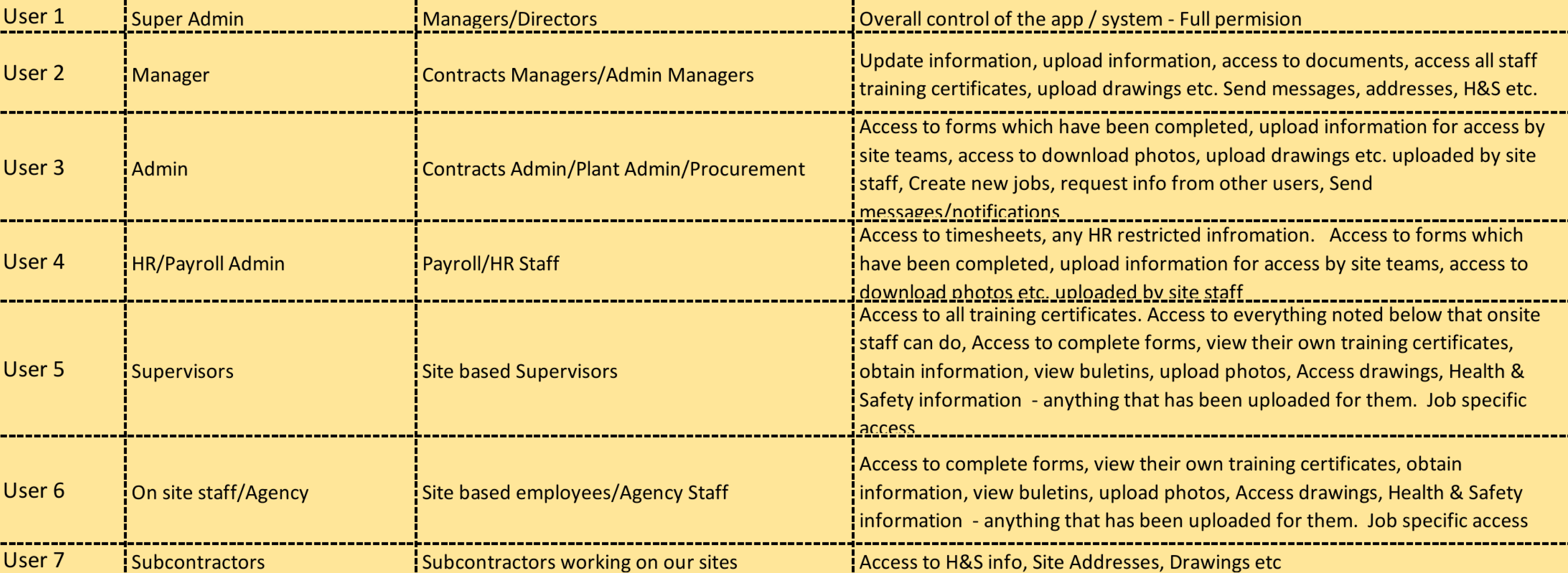
Discussing with client, we defined our user who are currently working in Acreo who will be using Mobile App and Web App. We created list of user, their role in company, and their access in Mobile and Web App.
Users
User Role
User Access
Understanding working of the business
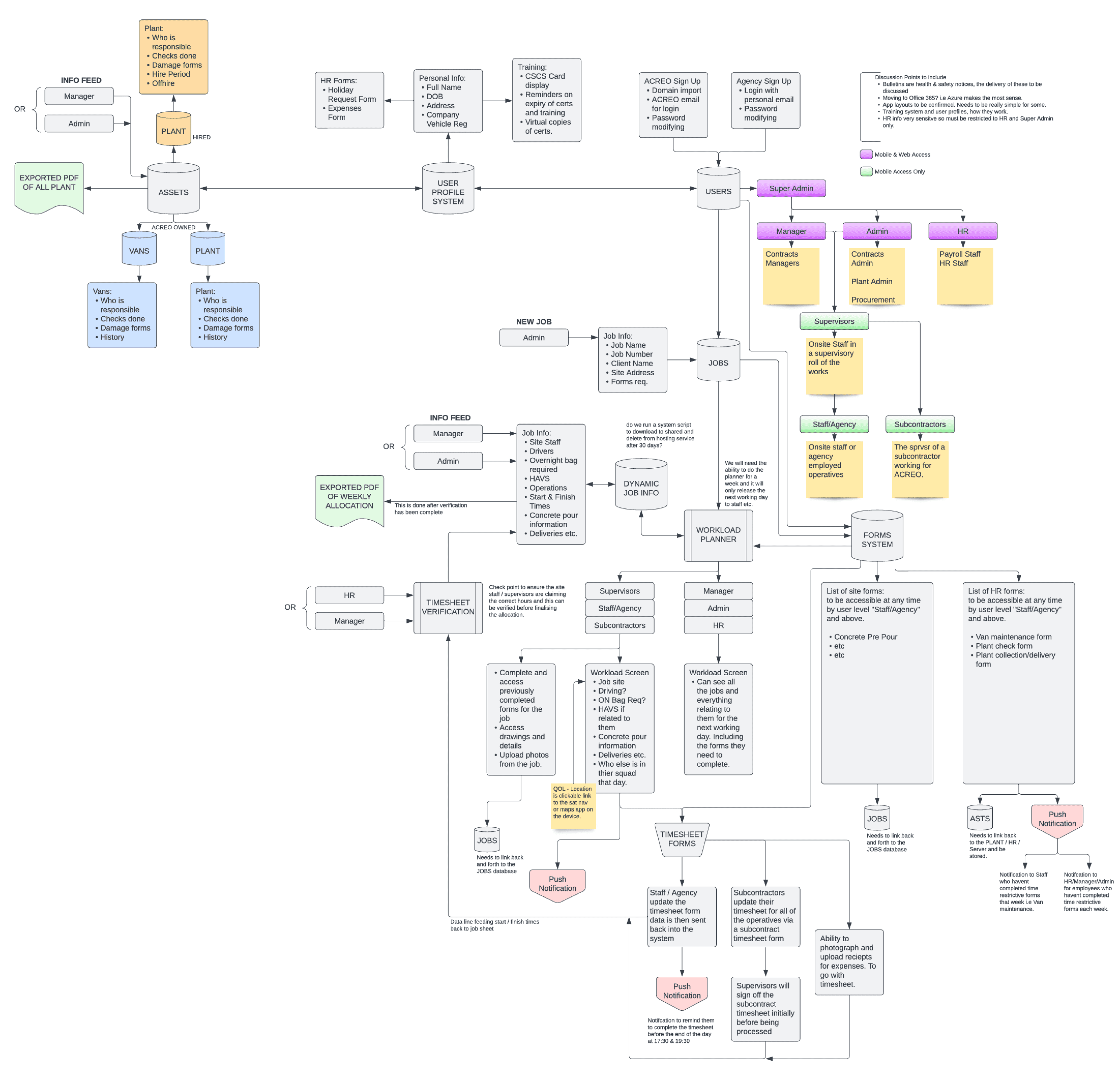
Understanding business was the most crucial part of this project. In a meeting with client, I learned about entire working process of business and tried to understand all the business aspects, key user roles, working pattern, client requirements etc. and created the required business flow collaborating with client.
Gathering insights
A questionnaire was created for the client in order to gather required information about the working of current business, problems faced in the current workflow, understanding target users etc.
Managing all documents in paper format is hectic task.
1
Current process is lengthy and time consuming.
2
Hard to keep track of amendments done to allocation sheet.
3
Staff face problem is copy of allocation sheet is lost or damaged.
4
5
Supervisor have to carry whole bunch of document on site.
HR have to manually go through paper timesheet to process payrolls.
6
No way of staff to know about amendments done to timesheet until payday.
7
Manually have to update allocation sheet if any changes are done to timesheet.
8
Creating user personas
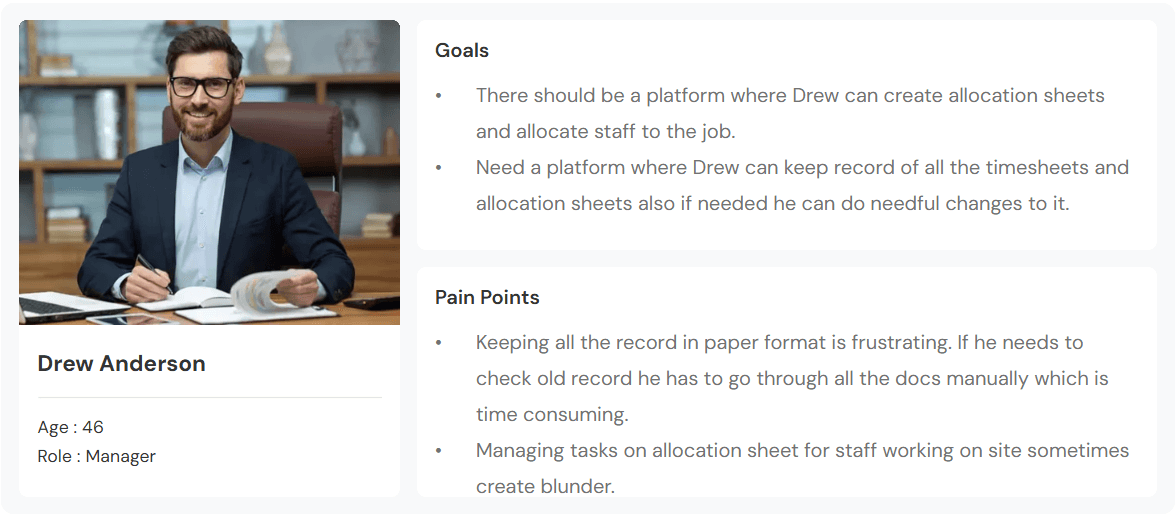
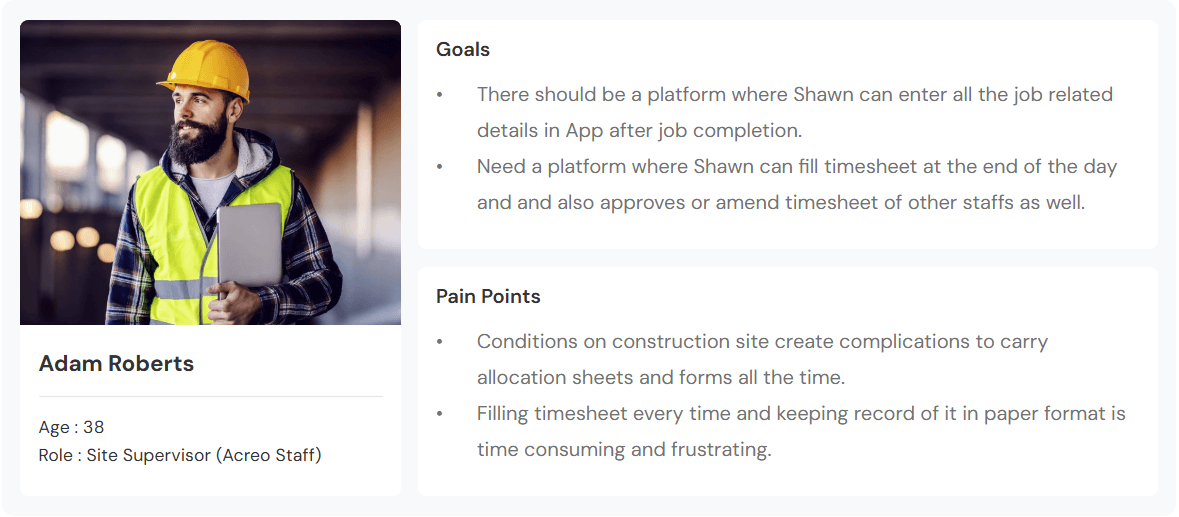
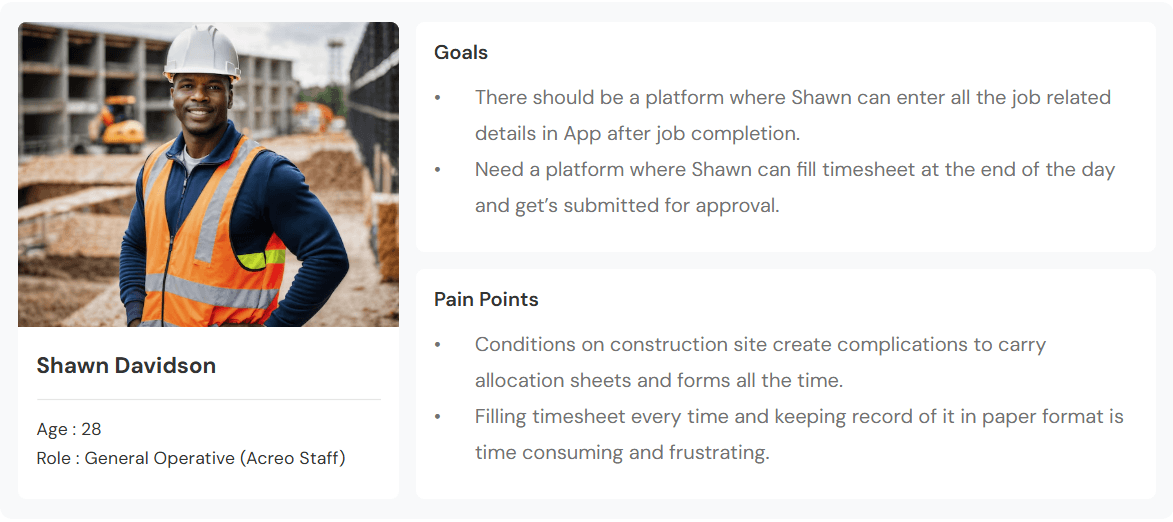
Created 3 primary personas based on the research and users defined.




Drew Anderson
Age : 46
Role : Manager
Goals
There should be a platform where Drew can create allocation sheets and allocate staff to the job.
Need a platform where Drew can keep record of all the timesheets and allocation sheets also if needed he can do needful changes to it.
Pain Points
Keeping all the record in paper format is frustrating. If he needs to check old record he has to go through all the docs manually which is time consuming.
Managing tasks on allocation sheet for staff working on site sometimes create blunder.
Adam Roberts
Age : 38
Role : Site Supervisor (Acreo Staff)
Goals
There should be a platform where Shawn can enter all the job related details in App after job completion.
Need a platform where Shawn can fill timesheet at the end of the day and and also approves or amend timesheet of other staffs as well.
Pain Points
Conditions on construction site create complications to carry allocation sheets and forms all the time.
Filling timesheet every time and keeping record of it in paper format is time consuming and frustrating.
Shawn Davidson
Age : 28
Role : General Operative (Acreo Staff)
Goals
There should be a platform where Shawn can enter all the job related details in App after job completion.
Need a platform where Shawn can fill timesheet at the end of the day and get’s submitted for approval.
Pain Points
Conditions on construction site create complications to carry allocation sheets and forms all the time.
Filling timesheet every time and keeping record of it in paper format is time consuming and frustrating.
Design phase
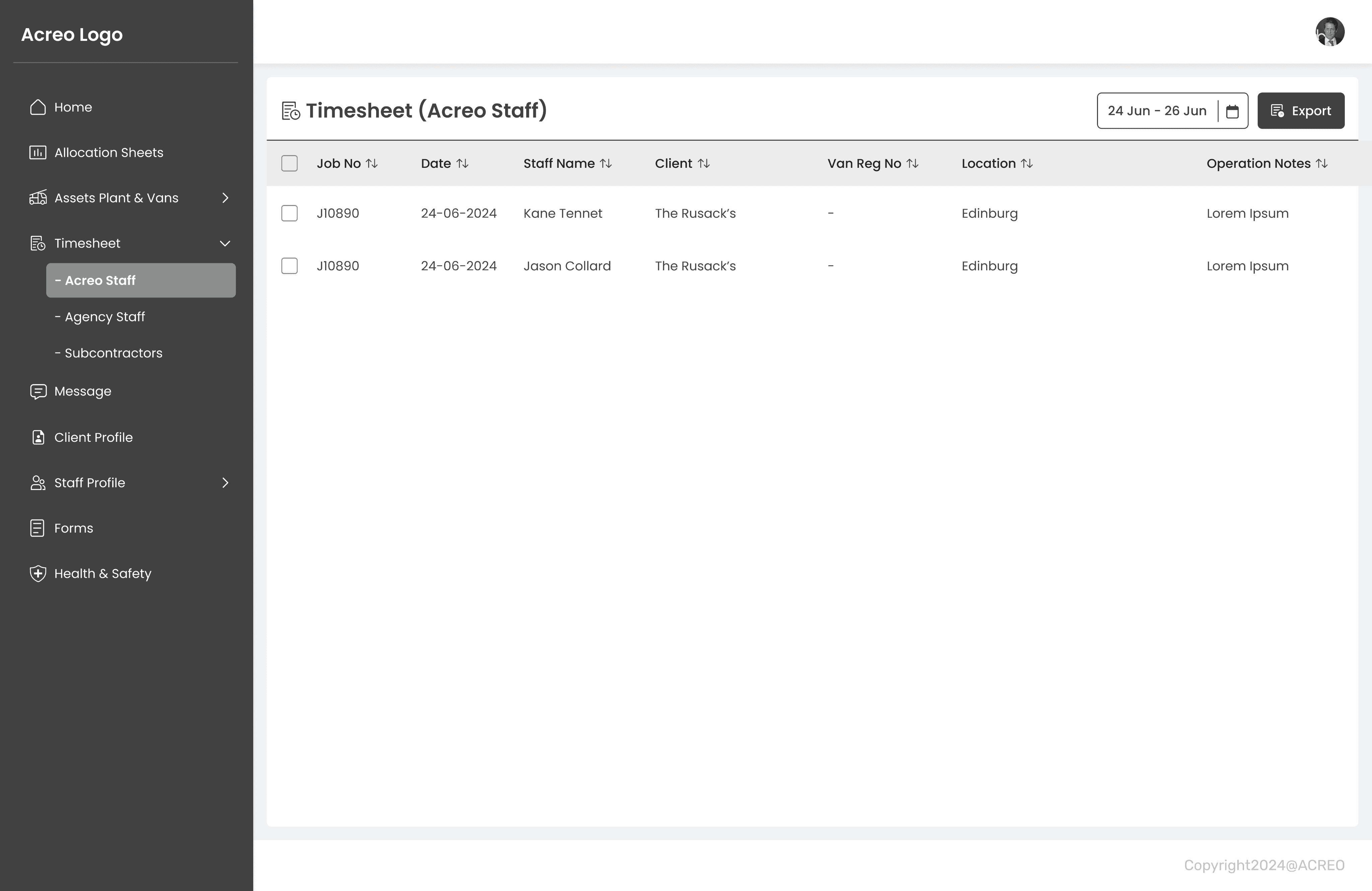
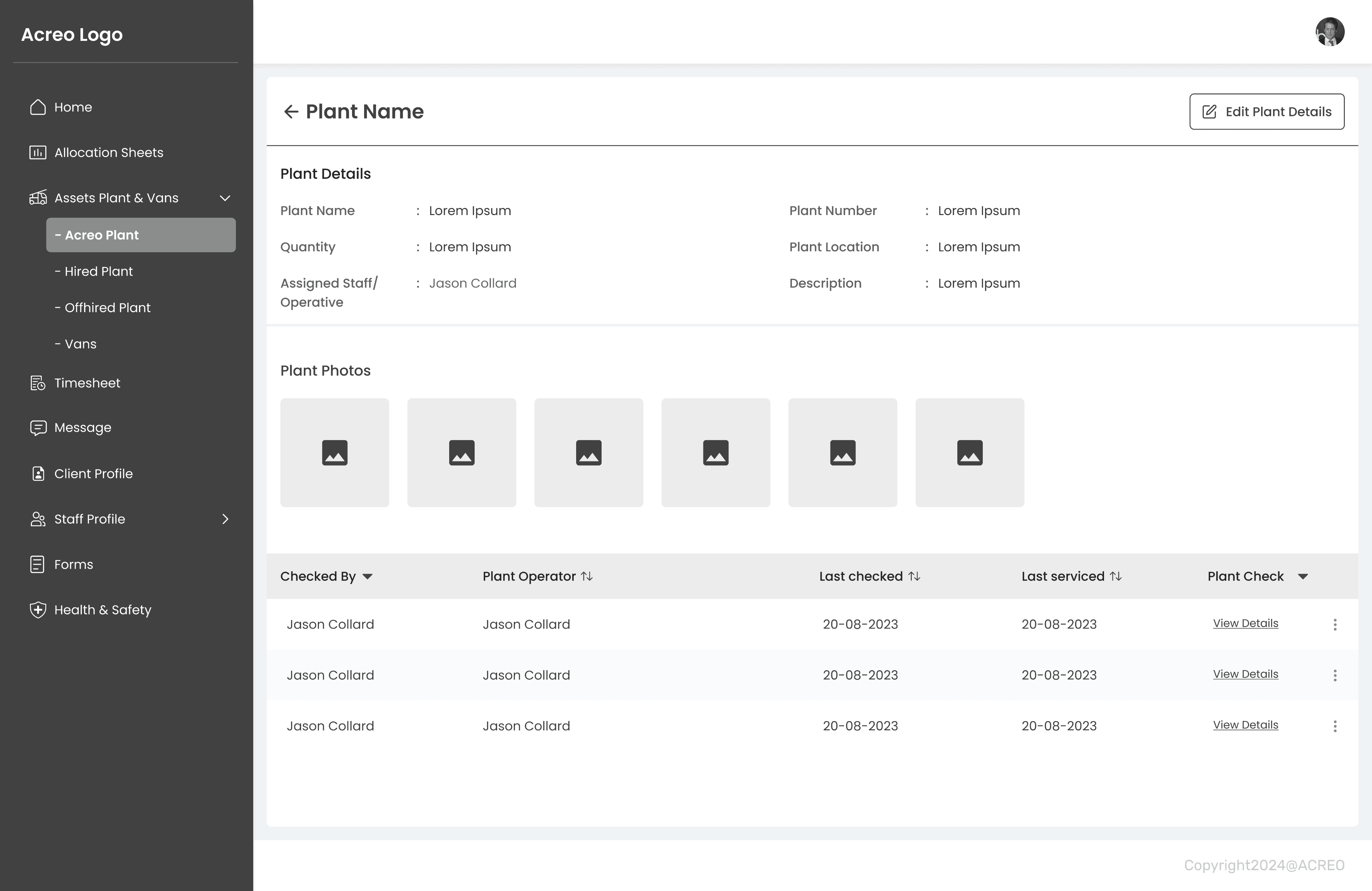
We captured every required information in research phase which was sufficient to kickstart our design phase. the design phase was completed in two stages, wireframing and Hi-Fi designs.
Wireframes
Design phase started with wireframes and exploring multiple solutions. Feedback was noted from client and changes were made as per the requirement.
Visual design & branding
I created a colour palette and component library of header, tiles, footer, buttons icons etc. This helped me to keep design consistency across the product and increases design efficiency and speed.
Hi-Fi Designs
After successful session on wireframes and colour finalisation, I started working on designing Hi-Fi designs.
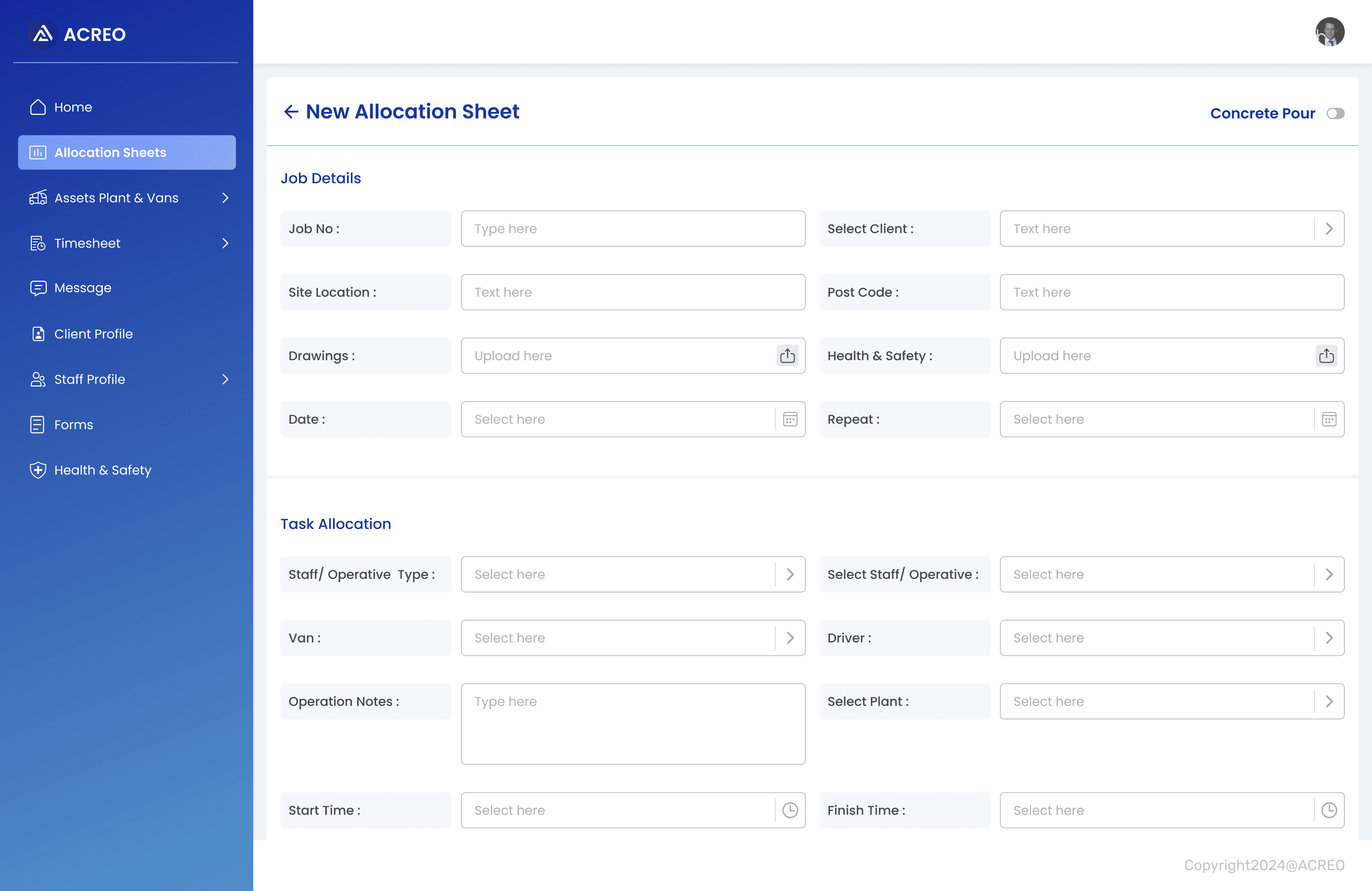
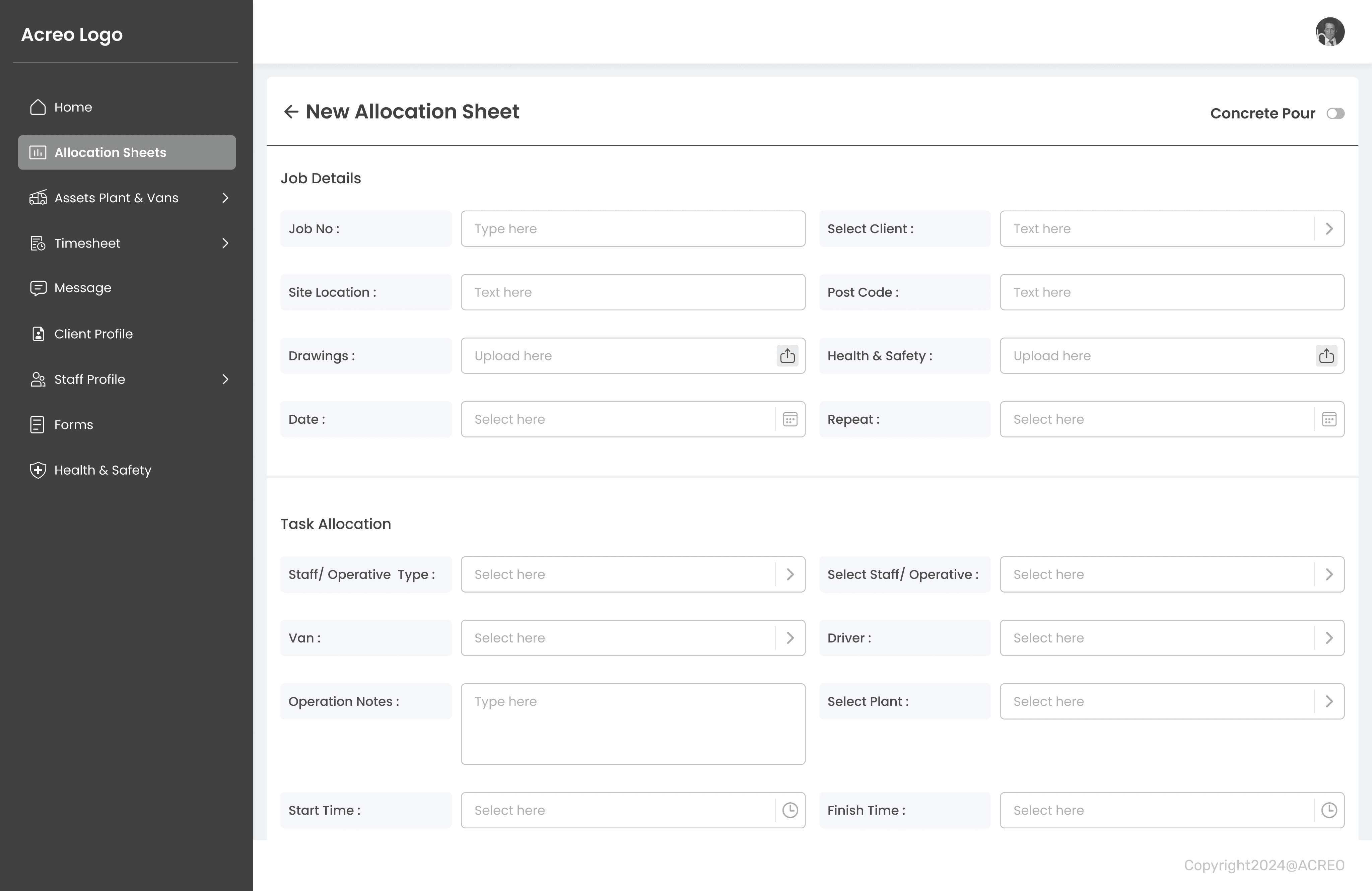
Creation of new allocation sheet
Managing allocation sheet was hectic and used to double the work of Acreo staff as they need to transfer allocation sheet into excel.
With current design, all the allocation sheet will be stored in company data base and can create, edit or amend anytime when required.
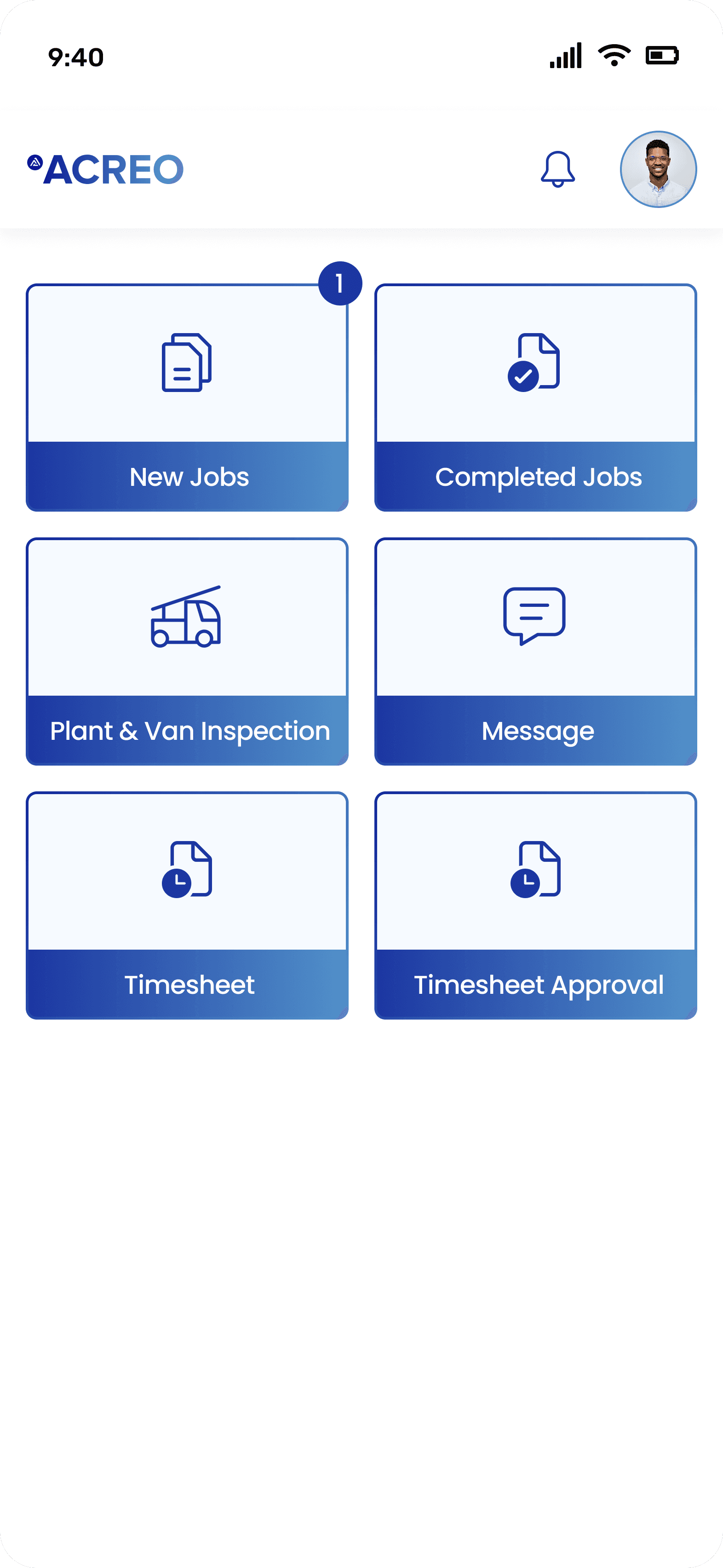
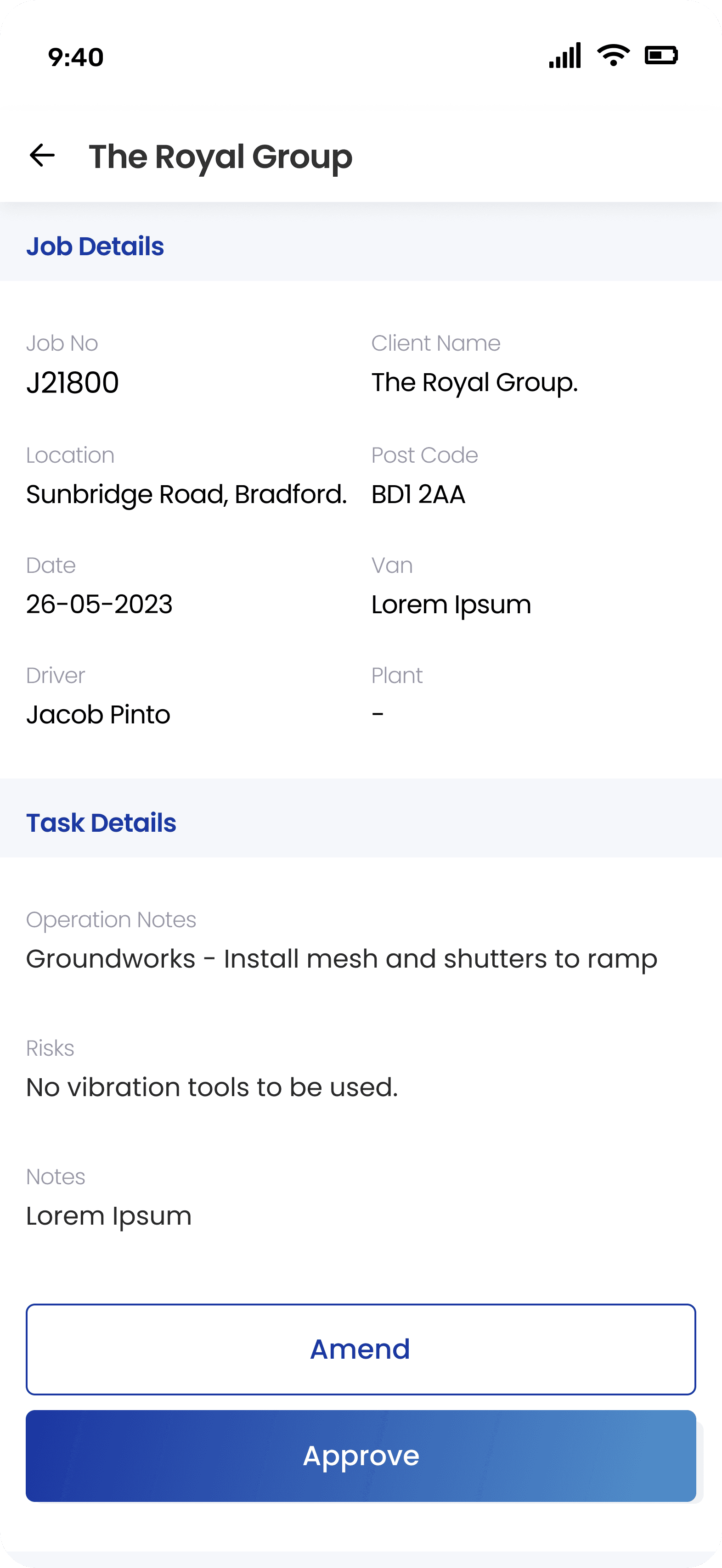
Clear dashboard with large tiles.
Considering the work environment and working conditions, there are chances of mis clicks from the workers with work gloves on.
To tackle the this situation I decided to design enlarged clickable tiles which will avoid mis clicks and log their job.
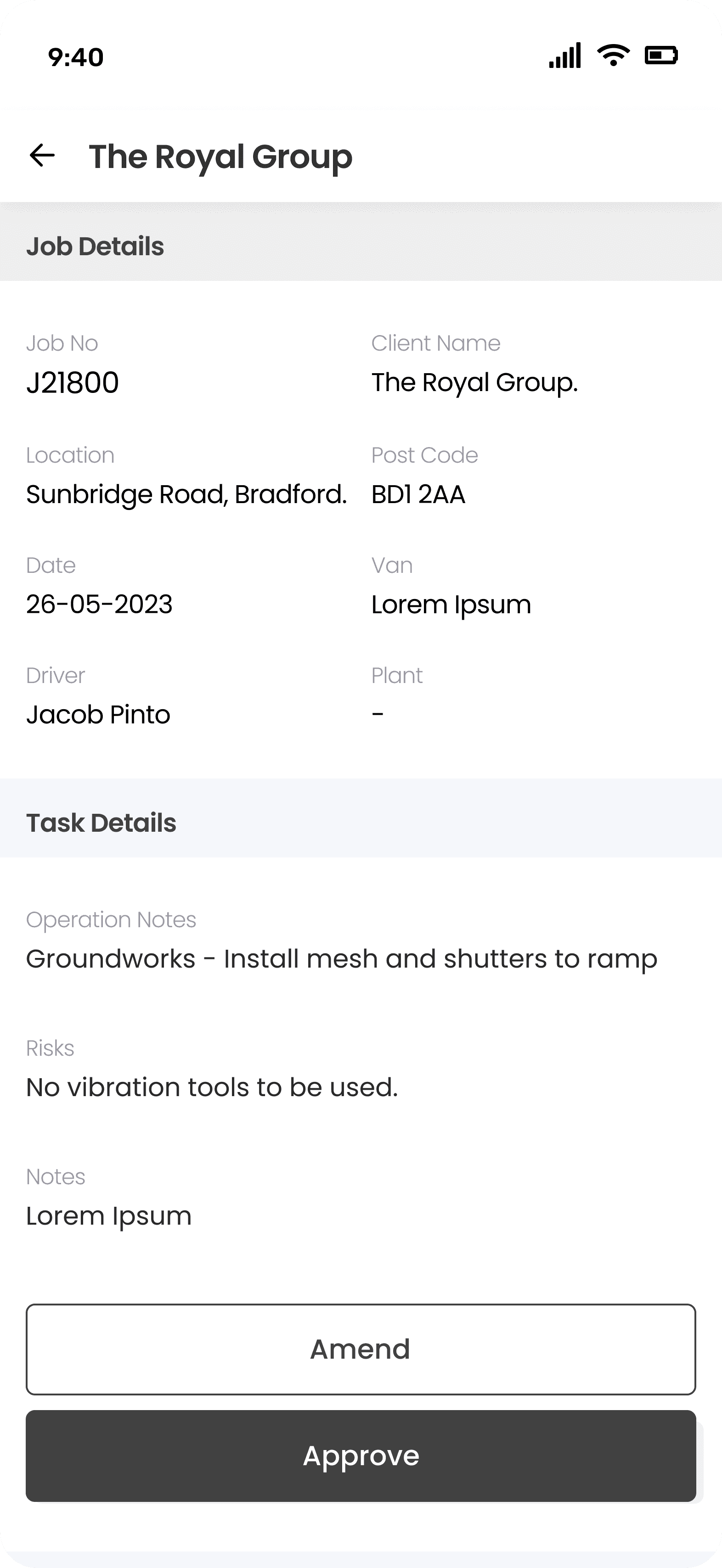
Second screen from supervisor side is kept as per accessibility standards whose role is to just monitor things on site and approve the timesheet of workers.
QA Testing
QA testing with Acreo staff
Clickable prototype (figma version) was tested with Acreo staff. Staff experience of using prototype was closely monitored and feedback was noted.
As per the staff feedback, designs files were updated and took final sign off from client on it.
Design Handover
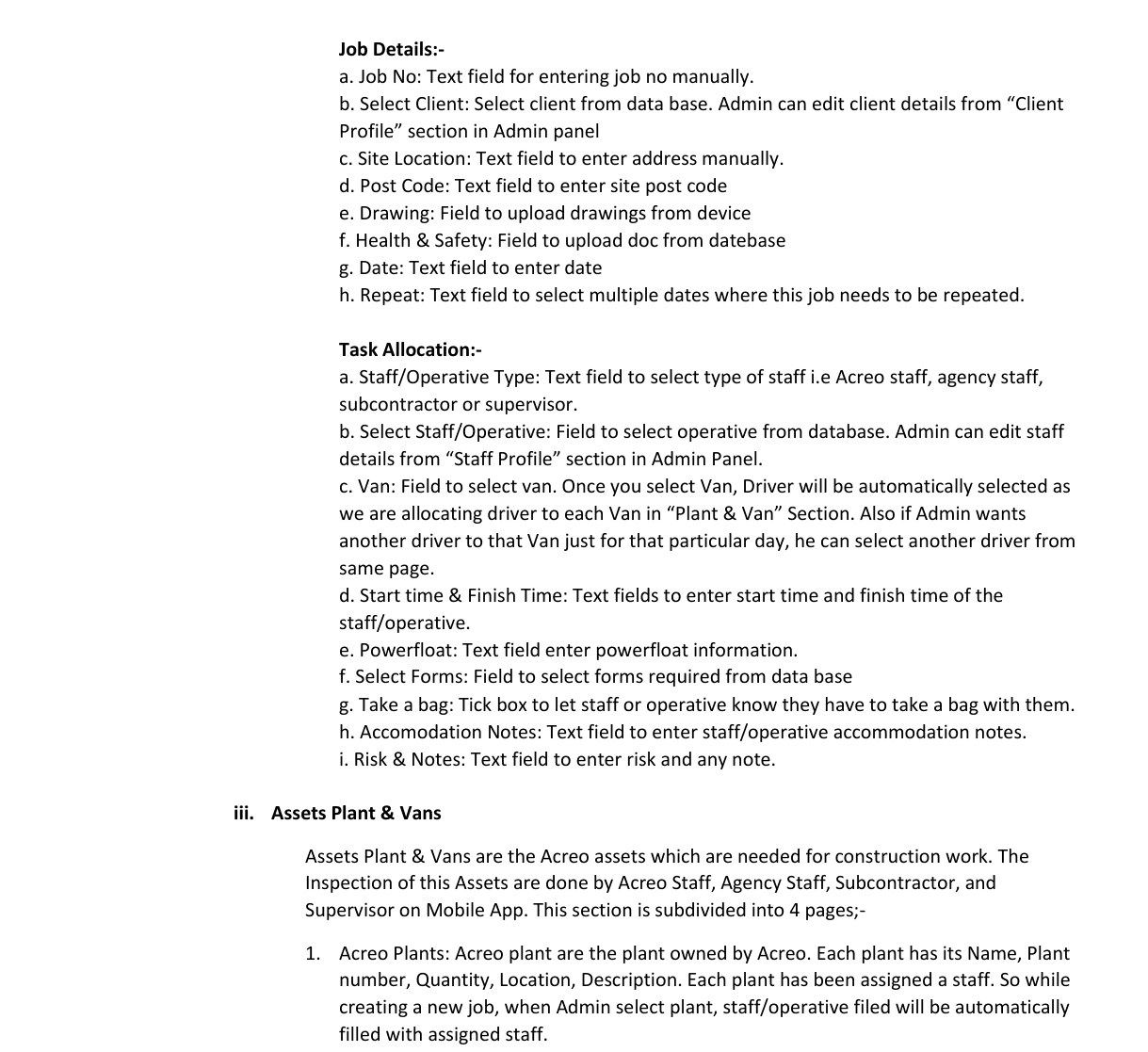
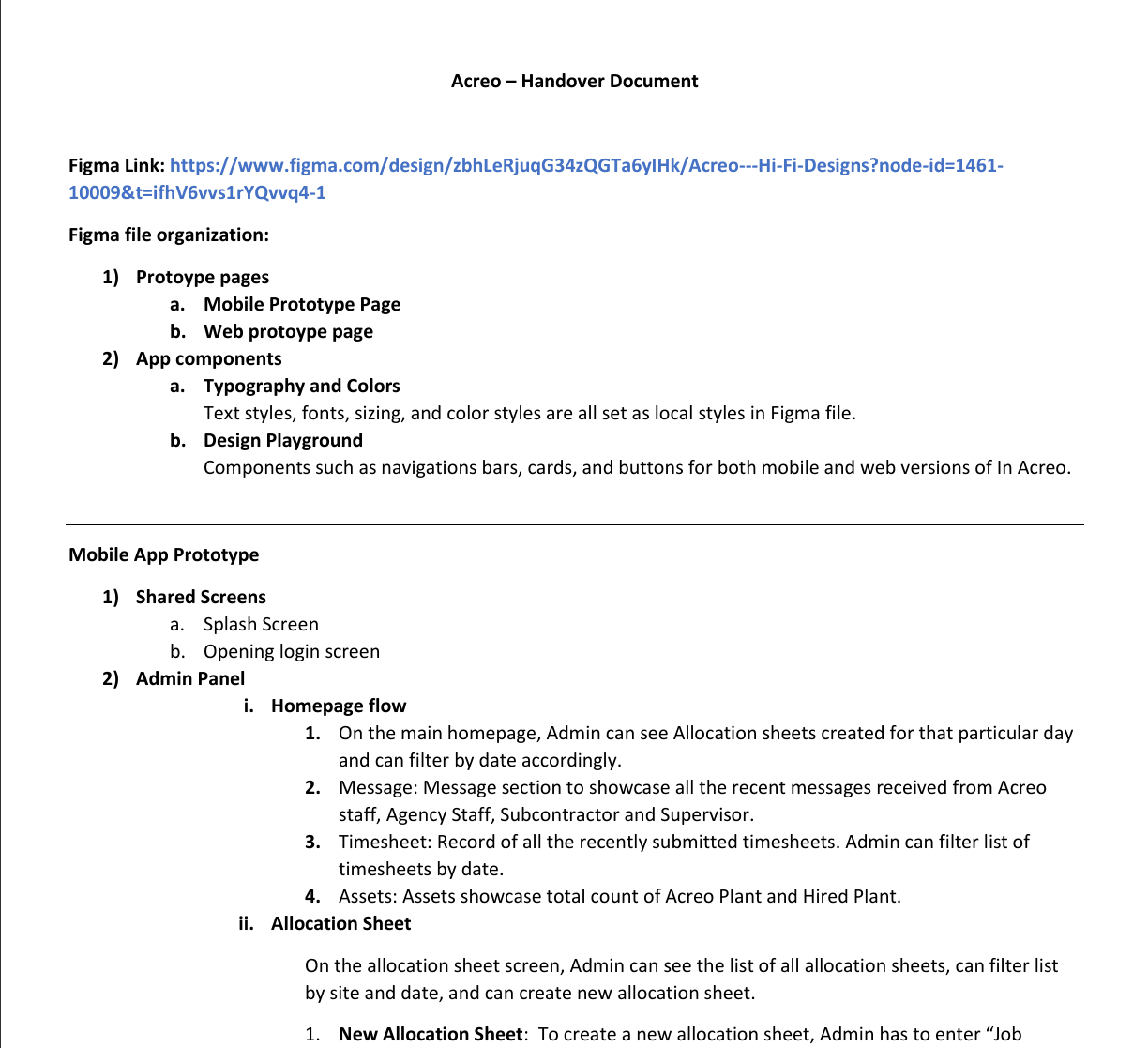
The handover document was created with the recordings explaining each and every functionality in the flow. The prototype was also added which majorly helped in the handover meeting as it was easier to explain the process to the dev team.
A separate handover document was created with added annotations and explanation of each screen. The project handover was made in four phases covering all the core features of Acreo mobile app & admin panel.
Key Takeaways
What needs to be improved
1
Need to look into simplifying feature of switching between Brick count and Normal Lifts.
2
Need to simplify the process of allocating gangs to the plot as this will save time of the Admin.
3
It would be useful to just keep invoice history in “Invoice” section rather than creating invoice agai.
Challenges:
Ensuring the mobile and web apps meet accessibility standards (e.g. WCAG) for diverse users, including those with disabilities..
Challenges in simplifying the mobile form inputs for contractors working on small screens, such as dropdown alternatives or predictive text suggestions.
Lesson learnt:
Realised the need of simplifying repetitive actions like completing similar forms or allocating recurring tasks.
The importance of less need of educating the users and ensuring successful adaption by keeping the designs simple.
Focusing on core functionalities first helps to deliver the end product within the given timeline.
designwithyuvraj@2025
ACREO
A mobile app for Acreo staff/contractors to digitally complete relevant on-site forms and fill in timesheets and Web App for manager to allocate tasks, forms and process timesheet for payroll.
Role
Product (UX/UI) Designer
Client
Acreo limited
Platform
Web & mobile
Toolkit
Figma, Monday.com.
My role
Led an end-to-end design process from research to implementation, collaborating with Product manager, Graphic designer, QA engineer, Developers and managing client meetings.
Background
Client spends a lot of time in creating Allocation sheets, managing forms, timesheets and keeping the record of everything in paper format. Later all the data is transferred into spreadsheet which is time consuming and doubles the work. Client wants to streamline entire physical process into digital process and store all the data in digital format.
Diving into client business
A questionnaire was created for the client in order to gather required information about the working of current business, problems faced in the current workflow, understanding target users etc.
What is the current working process of the company?
1
Define all the user types and their roles in the company?
2
What issues you have been facing in current process?
3
What is the current process to check user documents?
4
5
How is the timesheet filled and processed?
What is the plant hire and hw does it works?
6
Who creates allocation sheet?
7
Who is responsible to process staff payment?
8
Overview of client response
Onboarding is manual. ID checks, CSCS checks are stored in spreadsheet.
Allocation sheets are created manually on paper and shared with Acreo staff/subcontractor.
Acreo staff/subcontractor fills information on allocation sheet manually and submits in office.
HR cross checks information and timings with help of trackers and do amendments if needed. Further timesheet is processed for Payroll.
Plant and Van check information is stored in paper format and later is updated in spreadsheet.
Understanding working of the business
Understanding business was the most crucial part of this project. In a meeting with client, I learned about entire working process of business and tried to understand all the business aspects, key user roles, working pattern, client requirements etc. and created the required business flow collaborating with client.
Gathering insights
A questionnaire was created for the client in order to gather required information about the working of current business, problems faced in the current workflow, understanding target users etc.red business flow collaborating with client.
Managing all documents in paper format is hectic task.
1
Current process is lengthy and time consuming.
2
Hard to keep track of amendments done to allocation sheet.
3
Staff face problem is copy of allocation sheet is lost or damaged.
4
5
Supervisor have to carry whole bunch of document on site.
HR have to manually go through paper timesheet to process payrolls.
6
No way of staff to know about amendments done to timesheet until payday.
7
Manually have to update allocation sheet if any changes are done to timesheet.
8
Creating user personas
Created 3 primary personas based on the research and users defined.
Design phase
We captured every required information in research phase which was sufficient to kickstart our design phase. the design phase was completed in two stages, wireframing and Hi-Fi designs.
Wireframes
Design phase started with wireframes and exploring multiple solutions. Feedback was noted from client and changes were made as per the requirement.
Visual design & branding
I created a colour palette and component library of header, tiles, footer, buttons icons etc. This helped me to keep design consistency across the product and increases design efficiency and speed.
Hi-Fi designs
After successful session on wireframes and colour palette, I started working on designing Hi-Fi designs.
Creation of new allocation sheet
Managing allocation sheet was hectic and used to double the work of Acreo staff as they need to transfer allocation sheet into excel.
With current design, all the allocation sheet will be stored in company data base and can create, edit or amend anytime when required.
Clear dashboard with large tiles.
Considering the work environment and working conditions, there are chances of mis clicks from the workers with work gloves on.
To tackle the this situation I decided to design enlarged clickable tiles which will avoid mis clicks and log their job.
Second screen from supervisor side is kept as per accessibility standards whose role is to just monitor things on site and approve the timesheet of workers.
Design handover
The handover document was created with the recordings explaining each and every functionality in the flow. The prototype was also added which majorly helped in the handover meeting as it was easier to explain the process to the dev team.
A separate handover document was created with added annotations and explanation of each screen. The project handover was made in four phases covering all the core features of Acreo mobile app & admin panel.
Key takeaways
Realised the need of simplifying repetitive actions like completing similar forms or allocating recurring tasks.
The importance of less need of educating the users and ensuring successful adaption by keeping the designs simple.
Focusing on core functionalities first helps to deliver the end product within the given timeline.
designwithyuvraj@2025